I Built a Terminal UI in Go and It Was More Fun Than I Expected
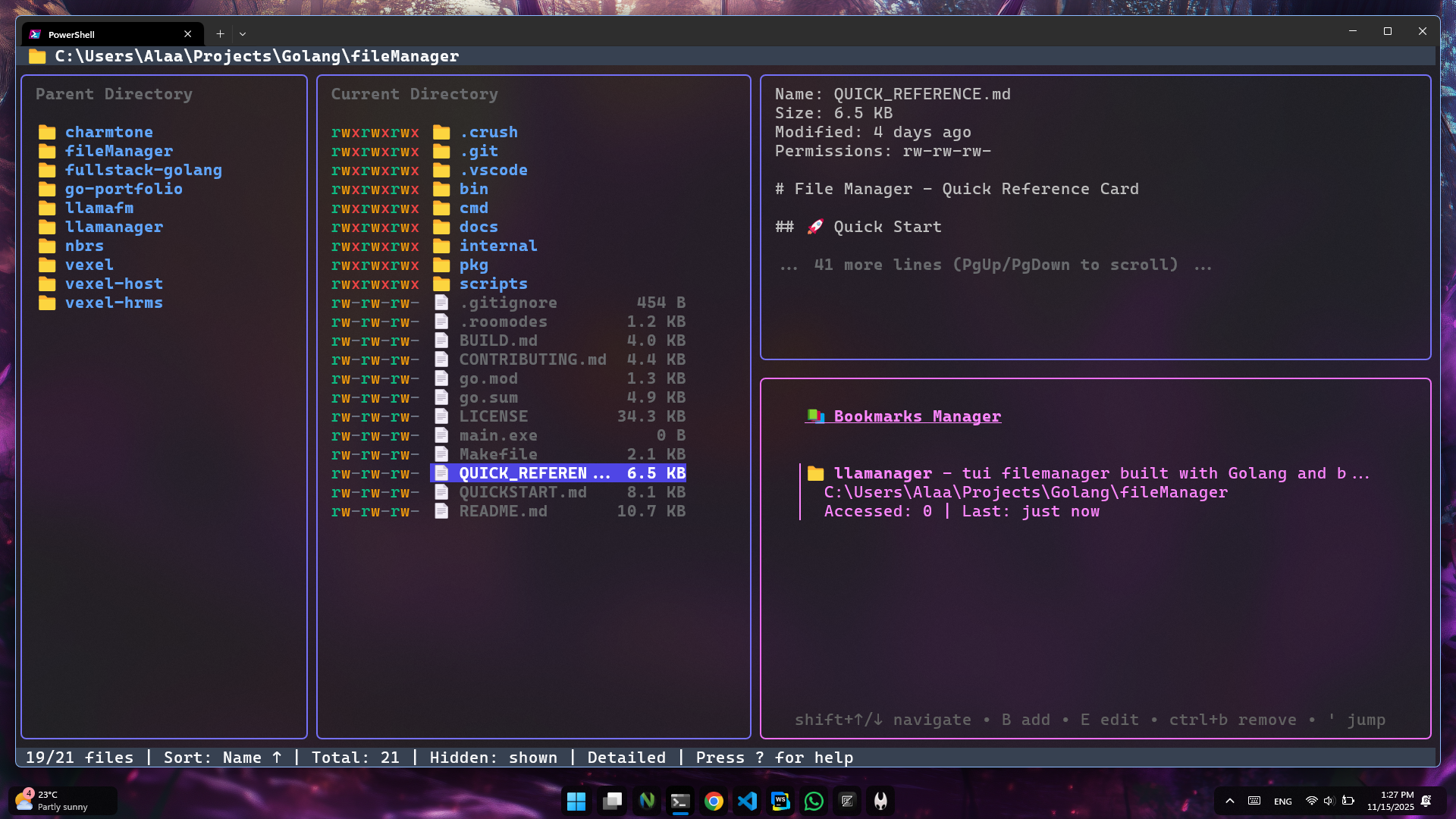
I Built a Terminal UI in Go and It Was More Fun Than I Expected
I'll be honest: I used to think terminal user interfaces (TUIs) were... old school. Like, why would anyone build a fancy terminal app when you could just make a web app?
Then I discovered Bubble Tea.
Now I'm that person who gets unreasonably excited about terminal applications. My friend asked me to build a simple CLI tool, and I spent an entire weekend making it look beautiful in the terminal. No regrets.
Let me tell you why Bubble Tea is one of the coolest things happening in the Go ecosystem right now.
The Problem with Traditional CLIs
Most CLI tools look like this:
$ mytool process --file data.json --output result.txt
Processing...
Done!
Functional? Sure. Exciting? Not really.
Now imagine this instead:
- A beautiful progress bar showing real-time status
- Interactive menus you navigate with arrow keys
- Live updates as things process
- Colors, spinners, and smooth animations
- All in your terminal
That's what Bubble Tea lets you build. And it's easier than you think.
What Even Is Bubble Tea?
Bubble Tea is a Go framework for building terminal UIs based on The Elm Architecture. If you've used Redux or Zustand, the pattern will feel familiar:
- Model - Your application state
- Update - Handle events and update state
- View - Render the UI based on state
It's simple, elegant, and shockingly powerful.
The best part? It comes from Charm, who make some of the most beautiful terminal tools I've ever seen (seriously, check out glow and vhs).
My First "Aha!" Moment
I started with their tutorial, building a simple shopping list app. Within 30 minutes, I had:
- A list I could navigate with arrow keys
- Items I could check off with spacebar
- A clean, responsive interface
- And I actually understood what I was building
Here's the wild part: the entire program is about 100 lines of code.
package main

import (
    "fmt"
    "os"

    tea "github.com/charmbracelet/bubbletea"
)

type model struct {
    choices  []string
    cursor   int
    selected map[int]struct{}
}

func (m model) Init() tea.Cmd {
    return nil
}

func (m model) Update(msg tea.Msg) (tea.Model, tea.Cmd) {
    switch msg := msg.(type) {
    case tea.KeyMsg:
        switch msg.String() {
        case "ctrl+c", "q":
            return m, tea.Quit
        case "up", "k":
            if m.cursor > 0 {
                m.cursor--
            }
        case "down", "j":
            if m.cursor < len(m.choices)-1 {
                m.cursor++
            }
        case "enter", " ":
            _, ok := m.selected[m.cursor]
            if ok {
                delete(m.selected, m.cursor)
            } else {
                m.selected[m.cursor] = struct{}{}
            }
        }
    }
    return m, nil
}

func (m model) View() string {
    s := "What should we buy?\n\n"

    for i, choice := range m.choices {
        cursor := " "
        if m.cursor == i {
            cursor = ">"
        }

        checked := " "
        if _, ok := m.selected[i]; ok {
            checked = "x"
        }

        s += fmt.Sprintf("%s [%s] %s\n", cursor, checked, choice)
    }

    s += "\nPress q to quit.\n"
    return s
}

func main() {
    p := tea.NewProgram(model{
        choices:  []string{"Bread", "Milk", "Eggs", "Coffee"},
        selected: make(map[int]struct{}),
    })

    if _, err := p.Run(); err != nil {
        fmt.Printf("Error: %v", err)
        os.Exit(1)
    }
}
That's it. That's a fully functional, interactive terminal app.
Why I'm Hooked
1. It's Surprisingly Elegant
The Elm Architecture pattern just... makes sense. Your update function is pure (mostly). Your view is a function of state. Everything is predictable and testable.
Coming from web development, it felt like React's reducer pattern, but cleaner somehow.
2. The Charm Ecosystem is Gold
Bubble Tea doesn't exist in isolation. The Charm team built an entire ecosystem:
Lip Gloss - Style your terminal output with CSS-like syntax:
import "github.com/charmbracelet/lipgloss"

var style = lipgloss.NewStyle().
    Bold(true).
    Foreground(lipgloss.Color("#FAFAFA")).
    Background(lipgloss.Color("#7D56F4")).
    Padding(1, 4)

fmt.Println(style.Render("Hello, World!"))
Bubbles - Pre-built components (spinners, progress bars, text inputs):
import "github.com/charmbracelet/bubbles/spinner"

s := spinner.New()
s.Spinner = spinner.Dot
s.Style = lipgloss.NewStyle().Foreground(lipgloss.Color("205"))
Glamour - Render beautiful markdown in the terminal
Harmonica - Spring-based animations (yes, in the terminal!)
It's like having a design system for the terminal.
3. Performance is Insane
These apps are fast. Like, startup in milliseconds fast. No bundlers, no hot reload, no webpack configs. Just go run main.go and boom, you're running.
And the compiled binaries? Tiny. Portable. No dependencies.
4. It Feels Like Magic
There's something deeply satisfying about building beautiful interfaces that run in the terminal. It feels like hacking in the best way.
I built a database query tool that shows live results in a table, with syntax-highlighted SQL, and real-time updates. My coworkers thought I was using some expensive GUI tool. Nope, just the terminal.
Real-World Use Cases
I've built (or seen built):
- Log viewers with live filtering and highlighting
- Database CLIs with interactive queries
- Git TUIs (check out
lazygit- it's built with similar principles) - System monitors with live graphs
- SSH tunnel managers with visual connection status
- API testing tools with formatted responses
- Todo apps (of course)
- Music players (yes, really)
Basically, if you've got a CLI that users interact with more than once, it's probably a good candidate for a TUI.
The Learning Curve
Here's the honest truth: Bubble Tea has a learning curve, but it's gentle.
Week 1: You'll be copying examples and feeling confused about the message passing system.
Week 2: The Elm Architecture clicks, and you start building small things confidently.
Week 3: You're combining Bubbles components and making things actually useful.
Week 4: You're styling with Lip Gloss and your terminals look chef's kiss.
The docs are excellent. The examples are plentiful. The community is helpful.
Getting Started
Want to try it? Here's the fastest path:
# Install Go (if you haven't)
# Then create a new project
mkdir my-tui && cd my-tui
go mod init my-tui

# Add Bubble Tea
go get github.com/charmbracelet/bubbletea

# Add the styling library (optional but recommended)
go get github.com/charmbracelet/lipgloss

# Add pre-built components (also optional)
go get github.com/charmbracelet/bubbles
Then check out the official tutorial or this awesome list of example apps.
Common Pitfalls (So You Don't Have To Learn The Hard Way)
1. Fighting the architecture - Don't try to make it work like a traditional imperative program. Embrace the message passing.
2. Ignoring tea.Cmd - Commands are how you do async work (API calls, file reading, etc). Learn them early.
3. Not using Lip Gloss - Seriously, it makes everything better. Use it from day one.
4. Overcomplicating the model - Start simple. Add complexity only when needed.
5. Forgetting about tea.Batch - You can send multiple commands at once. It's powerful.
Why Go + TUIs is a Perfect Match
Go's strengths align perfectly with TUI development:
- Fast compilation - iterate quickly
- Single binary - easy distribution
- Great concurrency - handle user input + background tasks smoothly
- Cross-platform - works on macOS, Linux, Windows
- Small footprint - your users don't need to install runtimes
Plus, the Go community loves CLI tools. There's a culture of building beautiful, user-friendly terminal applications.
The Future is Terminal
I know it sounds weird, but I genuinely think we're in a TUI renaissance. Tools like k9s, lazygit, lazydocker, and btop are showing that terminal UIs can be just as good (sometimes better) than their GUI counterparts.
And with Bubble Tea, building these tools has never been easier.
Should You Build a TUI?
Ask yourself:
- Do you have a CLI tool people use regularly?
- Would interactivity make it better?
- Do your users live in the terminal?
- Do you want to learn something fun?
If you answered yes to any of these, try Bubble Tea.
Even if your project doesn't need a TUI, build one for fun. Make a pomodoro timer. Build a system monitor. Create a terminal dashboard for your APIs.
You'll learn Go better. You'll understand state management better. And you'll have something genuinely cool to show off.
Final Thoughts
Six months ago, I barely used the terminal beyond git commands and running scripts.
Now I'm that person who opens terminal apps to show people and goes "look how smooth this animation is!"
Bubble Tea did that. It made terminal development fun, accessible, and beautiful.
If you're a Go developer who hasn't tried it yet, you're missing out on one of the most enjoyable ways to build applications.
Go make something cool. Your terminal deserves it.
Building something with Bubble Tea? I'd love to see it! Share your projects with me on Twitter or GitHub.
Resources:
- Bubble Tea GitHub
- Charm.sh - Check out their other tools
- Awesome TUIs - Inspiration
- TUI Gallery - Beautiful examples