My Neovim Config: LlamaVim
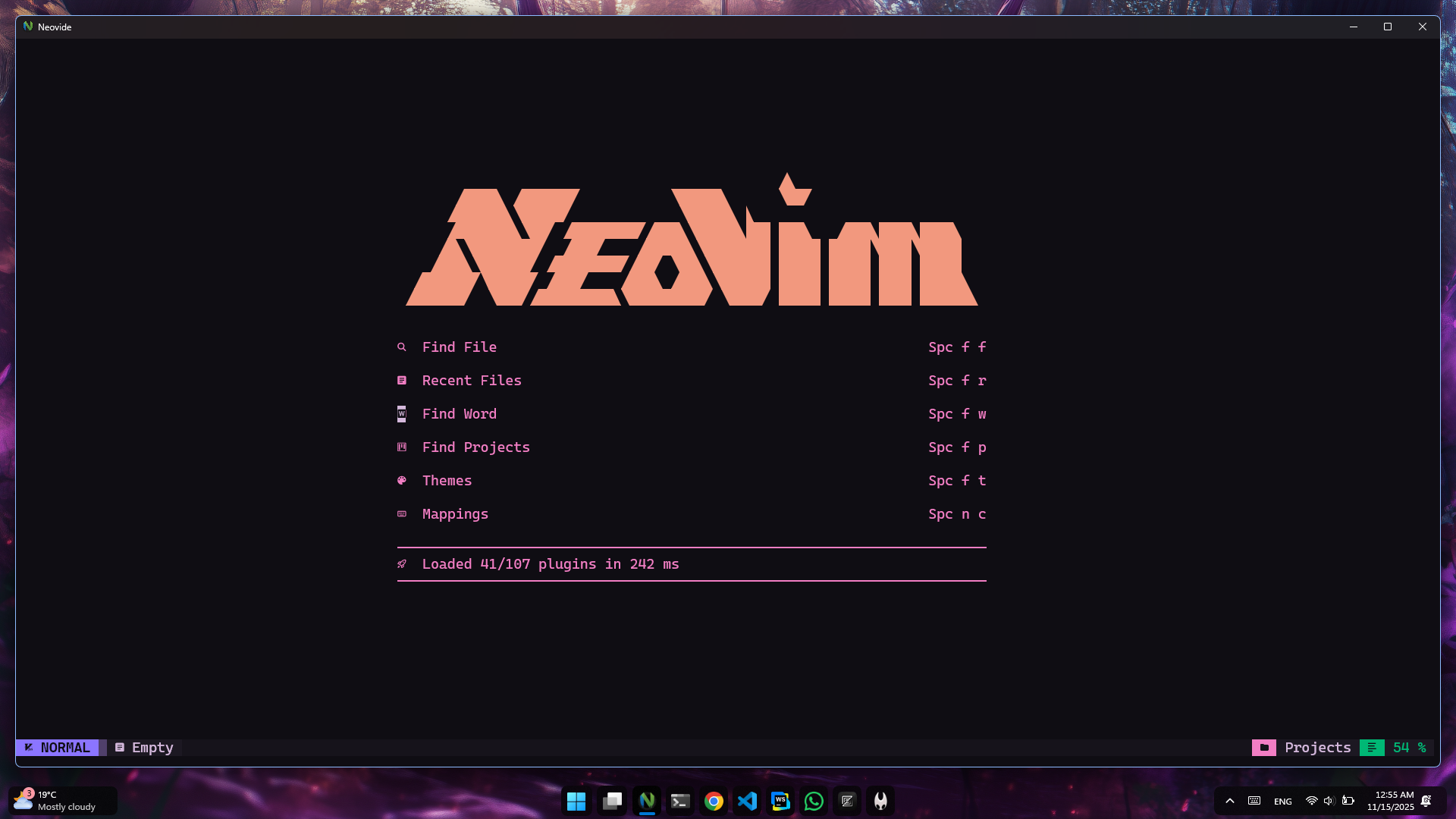
Powering productivity with Neovim/NvChad
Neovim has become my go-to editor for development, and with NvChad as the foundation, I've crafted a setup that's both powerful and beautiful. In this post, I'll walk you through the key aspects of my configuration, highlighting the plugins, themes, and customizations that make my workflow efficient and enjoyable.
Installation and Setup
To get started with this configuration, first install NvChad:
git clone https://github.com/NvChad/NvChad ~/.config/nvim --depth 1
Then, clone my custom config on top:
git clone https://github.com/yourusername/your-nvim-config ~/.config/nvim/lua/custom
Run :Lazy sync to install all plugins.
The Foundation: NvChad
NvChad provides an excellent starting point with its modular plugin system and sensible defaults. My config builds on this by adding specialized plugins for AI assistance, advanced completion, and more.
Core Structure
The configuration is organized in the lua/ directory with plugins grouped by category:
lua/
├── core/
│   ├── statusline/
│   ├── tabufline/
│   └── utils.lua
├── plugins/
│   ├── ai/
│   ├── completion/
│   ├── navigation/
│   └── ...
└── themes/
    └── samtone.lua
Most Powerful Plugins
Here are some of the most impactful plugins in my setup:
- Supermaven - AI-powered code completion
- Blink.cmp - Fast completion engine
- Telescope - Fuzzy finder for files, buffers, and more
- Neo-tree - File explorer
- Gitsigns - Git integration
- Treesitter - Syntax highlighting and parsing
AI-Powered Code Completion
One of the standout features is the AI integration for intelligent code suggestions. I use Supermaven for inline completions that feel natural and context-aware.
---@type NvPluginSpec
-- NOTE: AI Autocomplete
return {
  "supermaven-inc/supermaven-nvim",
  event = {
    "BufReadPost",
    "BufNewFile",
  },
  opts = {
    disable_keymaps = false,
    disable_inline_completion = false,
    keymaps = {
      accept_suggestion = "<C-Tab>",
      clear_suggestion = "<Nop>",
      accept_word = "<A-w>",
    },
  },
}
---@type NvPluginSpec
-- NOTE: Alternative AI completion
return {
  "monkoose/neocodeium",
  event = "VeryLazy",
  enabled = false,
  opts = {
    filetypes = {
      TelescopePrompt = false,
      ["dap-repl"] = false,
    },
  },
  init = function()
    vim.keymap.set("i", "<A-f>", function()
      require("neocodeium").accept()
    end)
  end,
}
The <C-Tab> key accepts full suggestions, while <A-w> accepts just the next word. This makes coding feel like having a pair programmer constantly suggesting improvements.
Modern Completion Engine
For traditional completion, I use Blink.cmp, which provides fast and fuzzy-matched suggestions from multiple sources.
---@type NvPluginSpec
-- NOTE: Completion Engine

return {
  {
    "saghen/blink.cmp",
    enabled = true,
    opts = {
      sources = {
        default = { "ecolog", "lazydev", "lsp", "path", "snippets", "buffer", "avante" },
      },
      completion = {
        list = {
          selection = {
            preselect = false,
            auto_insert = true,
          },
        },
      },
    },
  },
}
---@type NvPluginSpec
-- NOTE: Alternative completion engine
return {
  "hrsh7th/nvim-cmp",
  enabled = false,
  event = "InsertEnter",
  dependencies = {
    "hrsh7th/cmp-buffer",
    "hrsh7th/cmp-path",
    "hrsh7th/cmp-nvim-lsp",
    "saadparwaiz1/cmp_luasnip",
  },
  opts = function()
    return require "nvchad.configs.cmp"
  end,
}
This setup combines LSP suggestions, snippets, and buffer completions for comprehensive code assistance.
Beautiful Theming
The samtone theme provides a dark, purple-tinted color scheme that's easy on the eyes during long coding sessions.
M.base_30 = {
  white = "#d4b8dc",
  black = "#0f0d13",
  darker_black = "#0f0d13",
  one_bg = "#16131b",
  one_bg2 = "#1c1822",
  one_bg3 = "#221c2c",
  grey = "#50406b",
  grey_fg = "#50406b",
  grey_fg2 = "#858392",
  light_grey = "#BFBCC8",
  red = "#f27ec4",
  baby_pink = "#FF84FF",
  pink = "#f27ec4",
  line = "#221c2c",
  green = "#00b875",
  vibrant_green = "#00FFB2",
  nord_blue = "#8B75FF",
  blue = "#7272FF",
  seablue = "#00A4FF",
  yellow = "#f2f27e",
  sun = "#f2987e",
  purple = "#b37ef2",
  dark_purple = "#50406b",
  teal = "#0ADCD9",
  orange = "#f2987e",
  cyan = "#5CDFEA",
  statusline_bg = "#16131b",
  lightbg = "#1c1822",
  pmenu_bg = "#221c2c",
  folder_bg = "#C259FF",
}
-- NOTE: NvChad Related Highlights
local M = {}

---@type Base46HLGroupsList
M.override = {
  Comment = {
    italic = true,
  },
  ["@comment"] = { italic = true },
  Search = { fg = "black", bg = "blue" },
  IncSearch = { fg = "black", bg = "red" },
  CurSearch = { fg = "black", bg = "blue" },
  Substitute = { fg = "black", bg = "green" },
  FoldColumn = { bg = "NONE" },
  LspReferenceRead = { link = "Underlined" },
  LspReferenceText = { link = "Underlined" },
  LspReferenceWrite = { link = "Underlined" },
  TbFill = { link = "Normal", bg = "white" },
  NvimTreeRootFolder = { link = "NvimTreeFolderName", fg = "sun" },
  NvimTreeOpenedFolderName = { fg = "seablue" },
  NvimTreeFolderName = { fg = "cyan" },
  NvimTreeFolderIcon = { fg = "yellow" },
  NvimTreeWinSeparator = { fg = "statusline_bg" },
  NvDashAscii = {bg = "one_bg2", fg = "sun" },
  NvDashButtons = { fg = "red" },
  NvDashFooter = {bg ="one_bg2"},
}
Project Management and Navigation
For efficient project navigation, I have Telescope and Neo-tree configured, along with bufferline for tab management.
return {
  "akinsho/bufferline.nvim",
  enabled = true,
  event = "BufReadPre",
  dependencies = "nvim-tree/nvim-web-devicons",
  config = function()
    vim.opt.termguicolors = true
    require("bufferline").setup {
      options = {
        hover = {
          enabled = true,
          delay = 200,
          reveal = { "close" },
        },
        diagnostics = "nvim_lsp",
        modified_icon = "●",
        show_close_icon = false,
        show_buffer_close_icons = true,
      },
    }
  end,
}
---@type NvPluginSpec
return {
  "nvim-telescope/telescope.nvim",
  cmd = "Telescope",
  init = function()
    require("core.utils").load_mappings "telescope"
  end,
  opts = function()
    return require "nvchad.configs.telescope"
  end,
  config = function(_, opts)
    dofile(vim.g.base46_cache .. "telescope")
    local telescope = require "telescope"
    telescope.setup(opts)

    -- load extensions
    for _, ext in ipairs(opts.extensions_list) do
      telescope.load_extension(ext)
    end
  end,
}
Essential Keybindings
The configuration includes many custom keybindings for common tasks:
General
<leader>q: Quit Neovim<leader>y: Yank all text<leader>R: Remove all text<Esc>: Clear search highlights
Navigation
H/L: Previous/Next buffer<C-h/j/k/l>: Window navigation<leader>e: Toggle file explorer
AI and Completion
<C-Tab>: Accept AI suggestion (Supermaven)<A-w>: Accept word suggestion<leader>oa: Toggle autocomplete
Project Management
<leader>nb: Bootstrap new project<leader>nr: Run code<leader>nf: Find config files<leader>ng: Grep config files
Plugin Management
<leader>pi: Install plugins<leader>ps: Sync plugins<leader>pu: Update plugins<leader>pc: Clean plugins
Commands
Some useful commands I use frequently:
# Run ESLint
:EslintRun

# Toggle theme
<leader>ot

# Toggle Tree
<leader>e

# Find a File
<leader>ff

# Search and Replace
<leader>fG
Credits
This configuration is built upon the excellent work of many open-source contributors:
- NvChad: The foundation framework that makes Neovim configuration modular and maintainable
- Alexis12119: My llamavim config is heavily inspired by Alexis12119's nvim-config, which provided the initial structure and many plugin ideas
- Supermaven: For AI-powered code completions
- Blink.cmp: Fast and efficient completion engine
- Telescope: Powerful fuzzy finding
- Neo-tree: Modern file explorer
- All Plugin Authors: Thanks to the entire Neovim and Lua plugin ecosystem
Special thanks to the NvChad community and the broader Neovim community for their continuous improvements and support.
Conclusion
This Neovim setup has significantly boosted my productivity by combining AI assistance with traditional development tools. The modular nature of NvChad makes it easy to customize and extend. If you're looking to enhance your Neovim experience, I highly recommend starting with NvChad and building upon it with plugins that match your workflow.
Feel free to explore the full configuration on my GitHub and adapt it to your needs!